> ## Documentation Index
> Fetch the complete documentation index at: https://docs.superfuel.io/llms.txt
> Use this file to discover all available pages before exploring further.
# Agent
The Agent is your AI-powered Amazon expert that understands your business context and can create custom workflows through natural conversation.
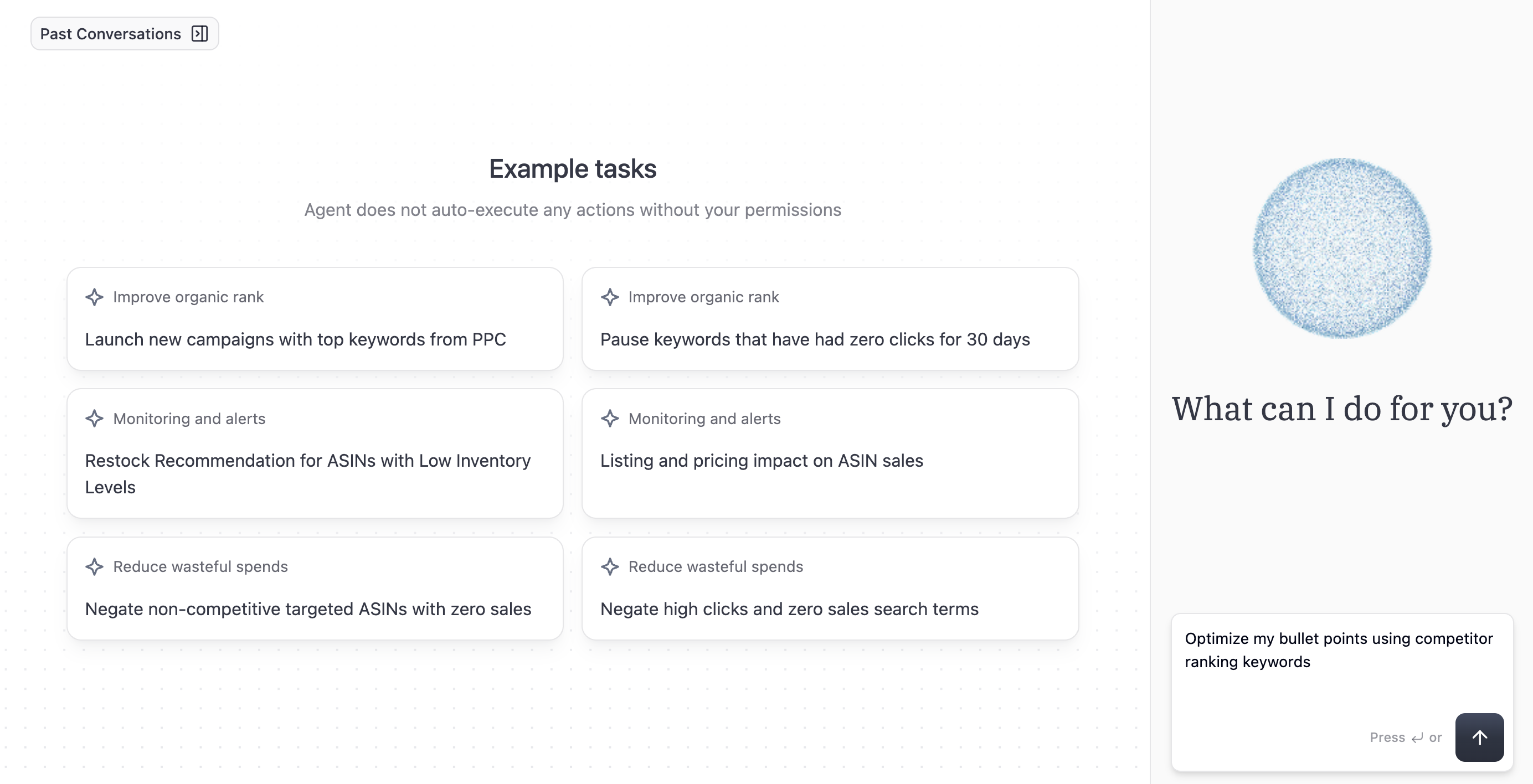 ### **Agent Capabilities**
* **Natural Language Understanding**: Describe what you want in plain English
* **Context Awareness**: Remembers your account setup and preferences via configured workflows
* **Intelligent Suggestions**: Recommends improvements based on best practices
* **Error Handling**: Automatically retries and adjusts when issues occur
### **How to Use the Agent**
**Creating Workflows:**
1. Describe your goal in natural language
2. Review the suggested steps
3. Request modifications if needed
4. Test on sample ASINs
5. Save or schedule the workflow
See more detailed [step-by-step instructions](https://docs.superfuel.io/getting-started/first-workflow) on how to create workflows using the Agent.
**Example Prompts:**
* "Find keywords my competitors rank for that I don't and add them to my listings"
* "Alert me when my inventory drops below 30 days of supply"
* "Reduce bids on keywords with ACOS above 40% but keep running if they drive significant organic rank"
* "Compare my pricing with the top 5 competitors and suggest optimal price points"
**Editing Workflows:**
1. Describe the changes you want in your steps or output
2. Review the new steps
3. Test on sample ASINs
4. Review the new output
5. Save or schedule the workflow
See more detailed step-by-step instructions on [how to edit Workflows](https://docs.superfuel.io/features/editing-workflow) using the Agent.
#### **Agent Best Practices**
* Be specific about your goals and constraints
* Start with simple requests, then add complexity
* Review test outputs before approving actions
* Provide feedback to improve results
Have questions? Reach out to us at [support@superfuel.io](mailto:support@superfuel.io)
## Explore
Automate data fetching, analysis, and actions.
Curated workflows from other sellers.
See how successful sellers use Superfuel
### **Agent Capabilities**
* **Natural Language Understanding**: Describe what you want in plain English
* **Context Awareness**: Remembers your account setup and preferences via configured workflows
* **Intelligent Suggestions**: Recommends improvements based on best practices
* **Error Handling**: Automatically retries and adjusts when issues occur
### **How to Use the Agent**
**Creating Workflows:**
1. Describe your goal in natural language
2. Review the suggested steps
3. Request modifications if needed
4. Test on sample ASINs
5. Save or schedule the workflow
See more detailed [step-by-step instructions](https://docs.superfuel.io/getting-started/first-workflow) on how to create workflows using the Agent.
**Example Prompts:**
* "Find keywords my competitors rank for that I don't and add them to my listings"
* "Alert me when my inventory drops below 30 days of supply"
* "Reduce bids on keywords with ACOS above 40% but keep running if they drive significant organic rank"
* "Compare my pricing with the top 5 competitors and suggest optimal price points"
**Editing Workflows:**
1. Describe the changes you want in your steps or output
2. Review the new steps
3. Test on sample ASINs
4. Review the new output
5. Save or schedule the workflow
See more detailed step-by-step instructions on [how to edit Workflows](https://docs.superfuel.io/features/editing-workflow) using the Agent.
#### **Agent Best Practices**
* Be specific about your goals and constraints
* Start with simple requests, then add complexity
* Review test outputs before approving actions
* Provide feedback to improve results
Have questions? Reach out to us at [support@superfuel.io](mailto:support@superfuel.io)
## Explore
Automate data fetching, analysis, and actions.
Curated workflows from other sellers.
See how successful sellers use Superfuel