> ## Documentation Index
> Fetch the complete documentation index at: https://docs.superfuel.io/llms.txt
> Use this file to discover all available pages before exploring further.
# Editing a Workflow
Lets edit a Workflow from our list of Workflows:
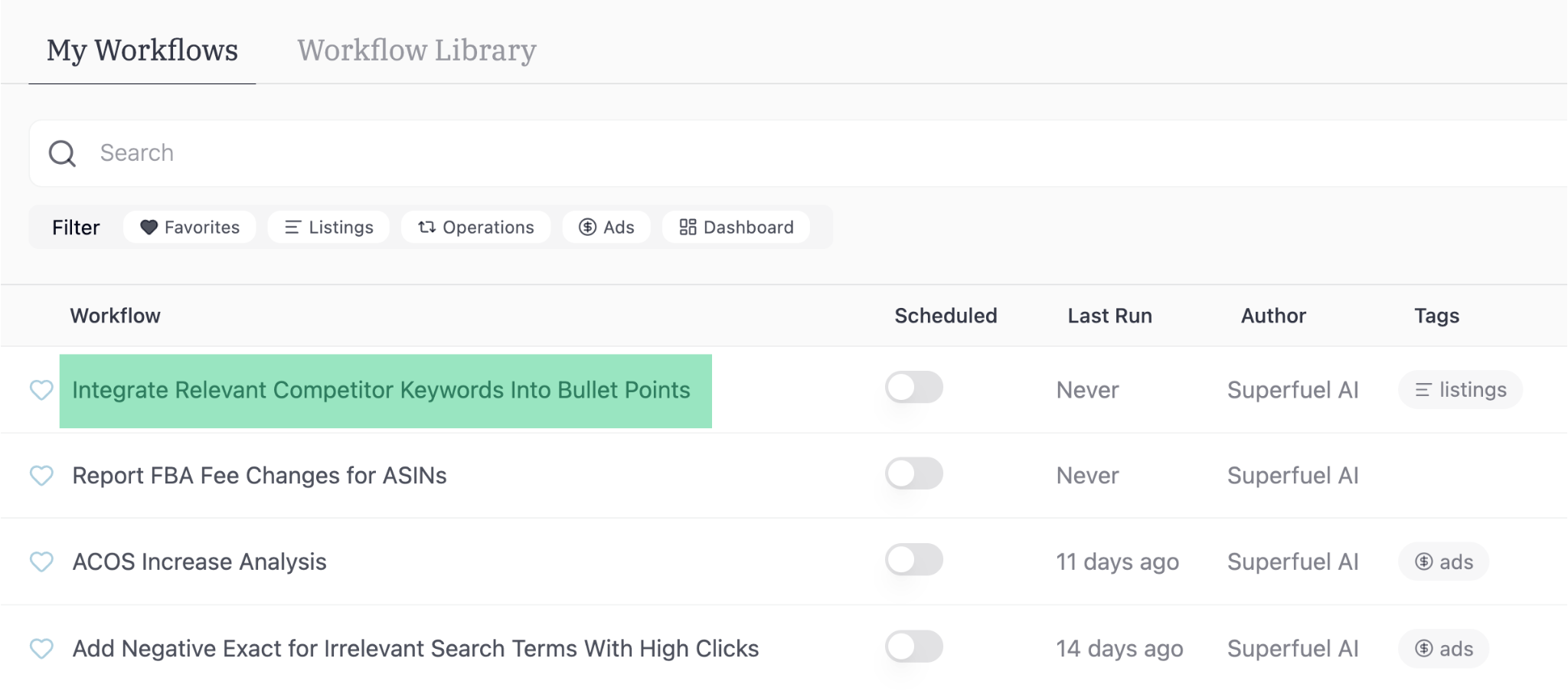 If you're looking to edit a workflow from "Workflow Library", you have to add it to "My Workflows" first.
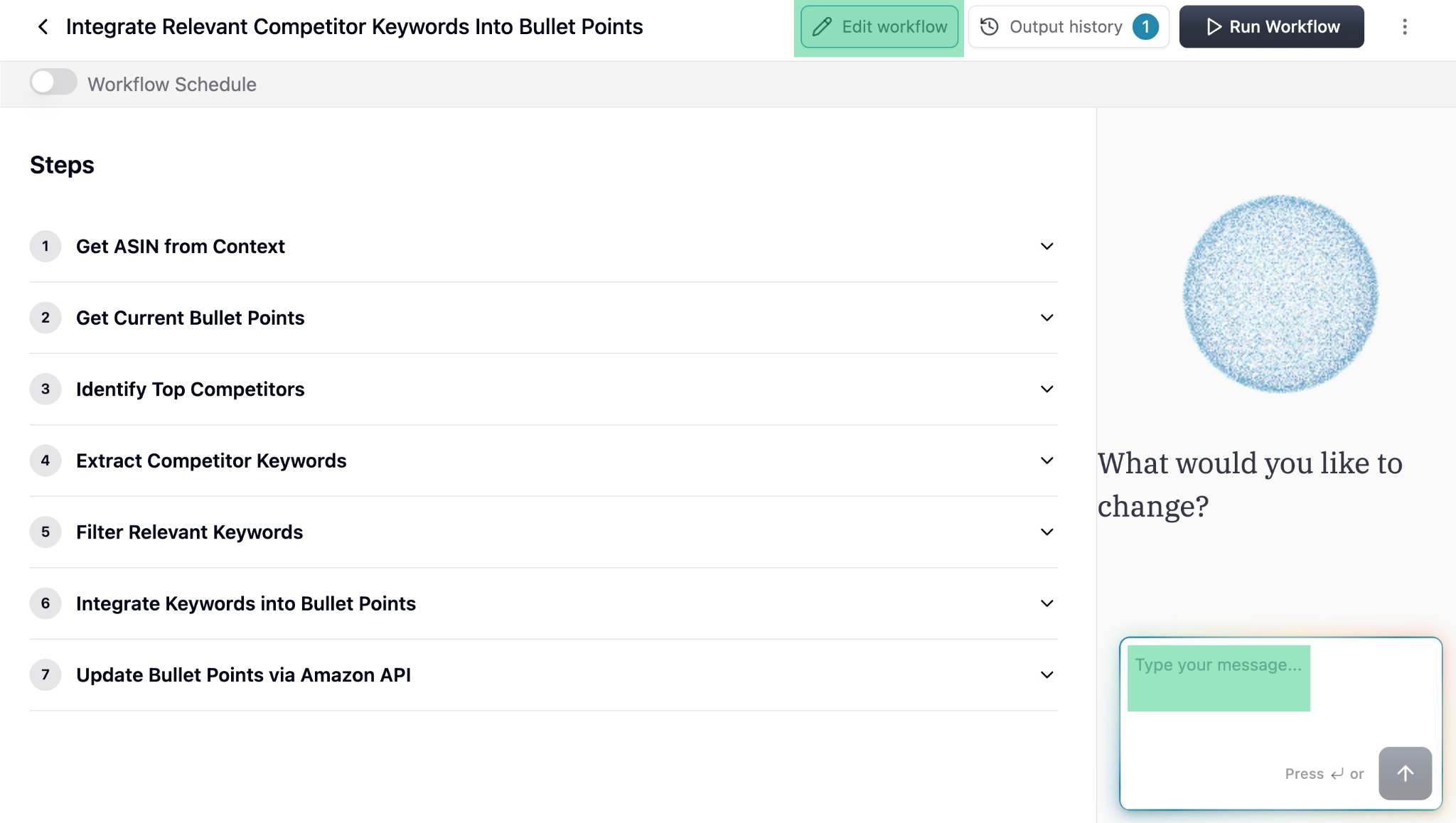
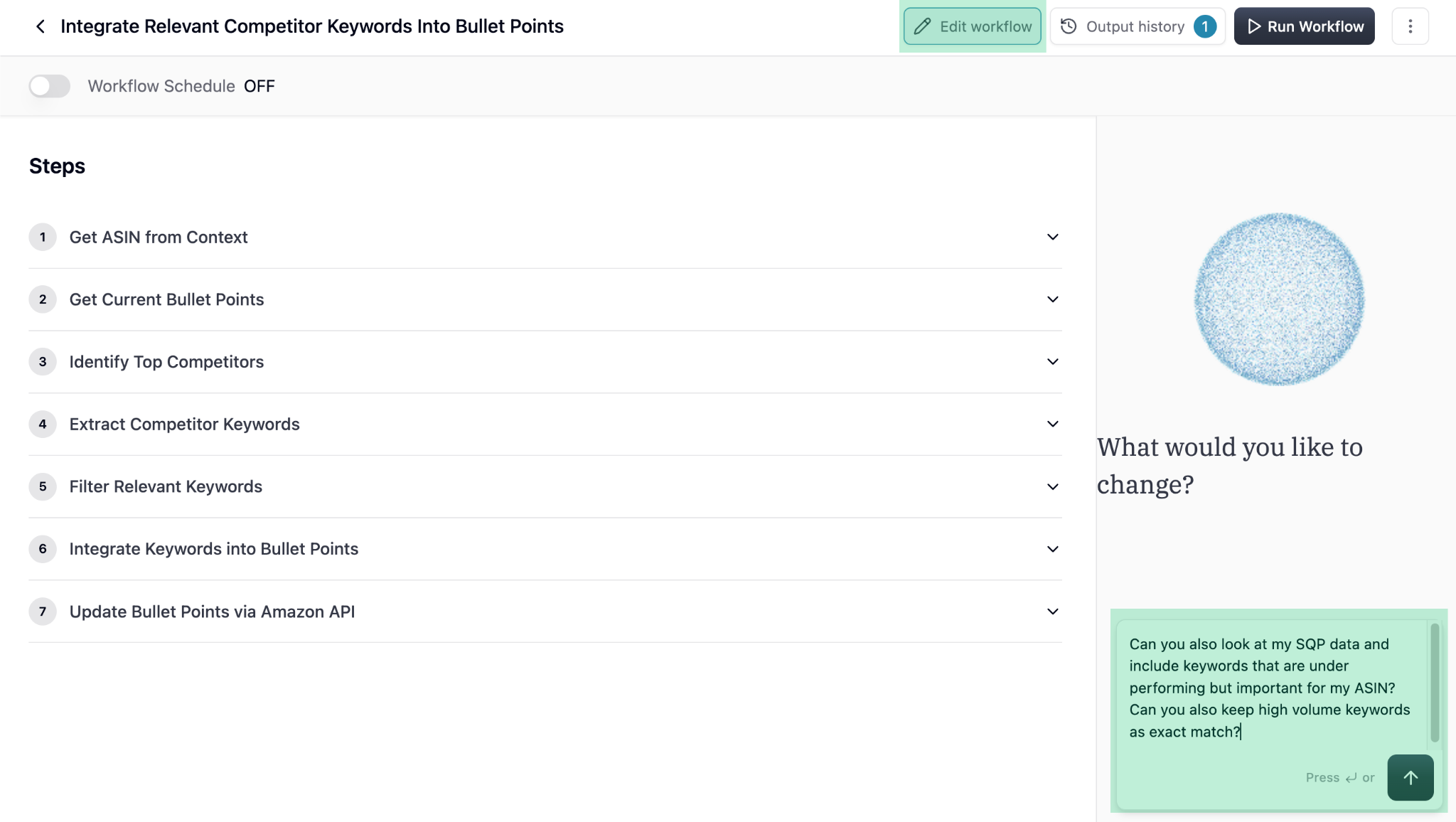 Review the steps and ask the Agent to make changes if needed. If no changes are required, tell the Agent to go ahead with generating the test output.
The Agent will generate output on random 4-5 ASINs to show what the output looks like. If you're happy with the output, you can select specific ASINs you want to run the workflow on.
Review the steps and ask the Agent to make changes if needed. If no changes are required, tell the Agent to go ahead with generating the test output.
The Agent will generate output on random 4-5 ASINs to show what the output looks like. If you're happy with the output, you can select specific ASINs you want to run the workflow on.
 Click on view to see specific ASIN's Workflow output
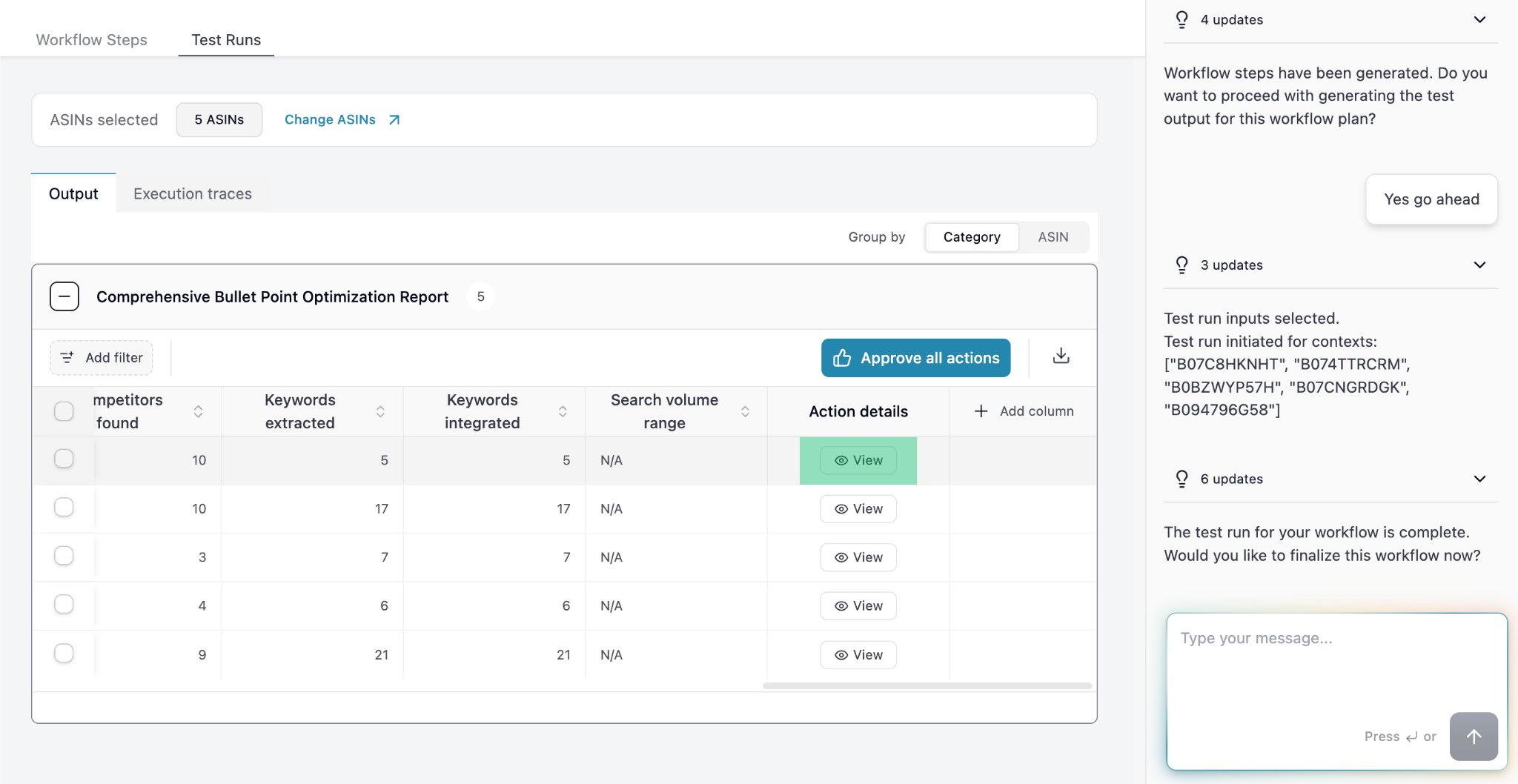 View the output:
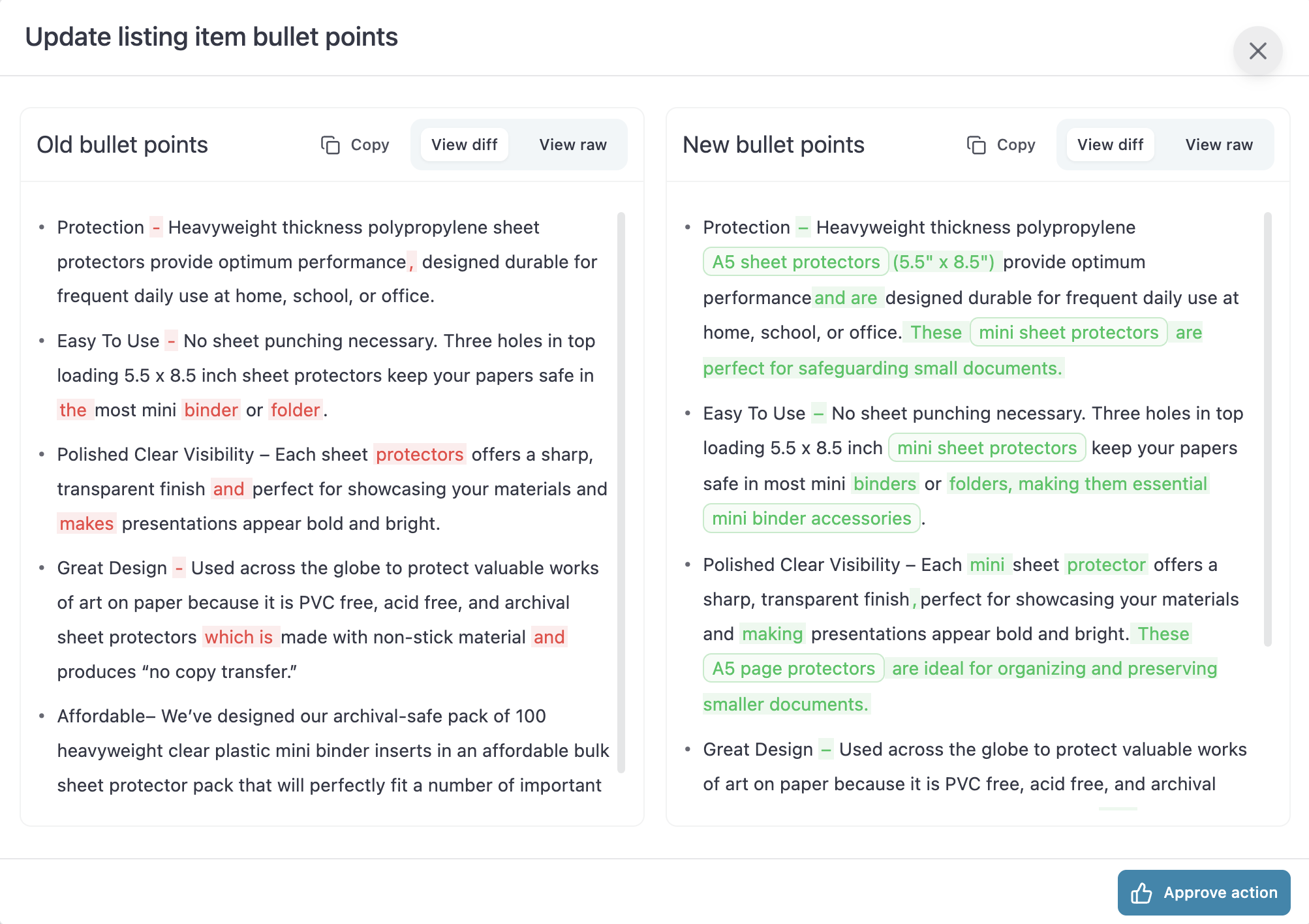 If the output is not per your expectation, continue chatting with the Agent and mention what more needs to be improved in the Workflow.
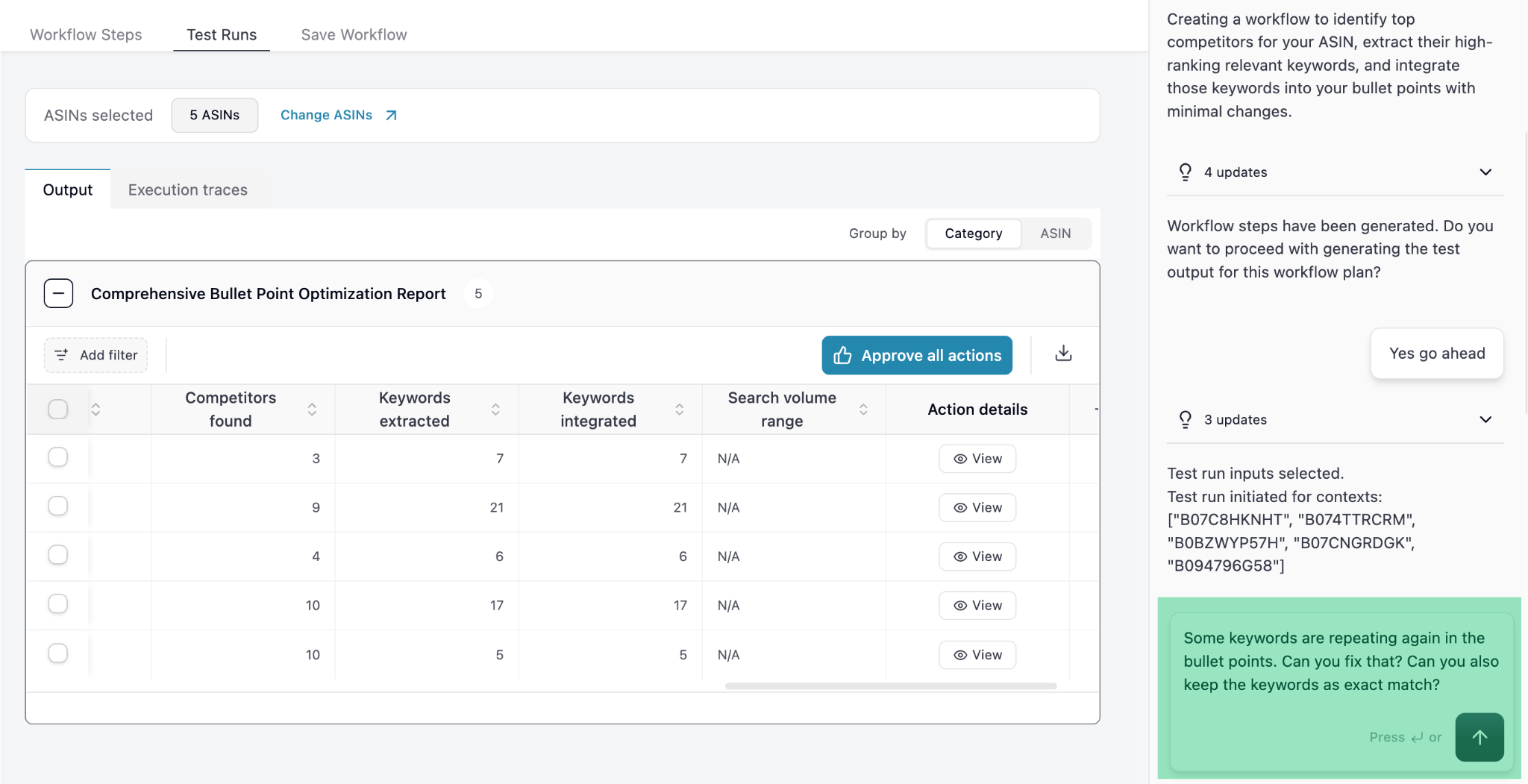 Once you're happy with the output you can ask the Agent to save the workflow.
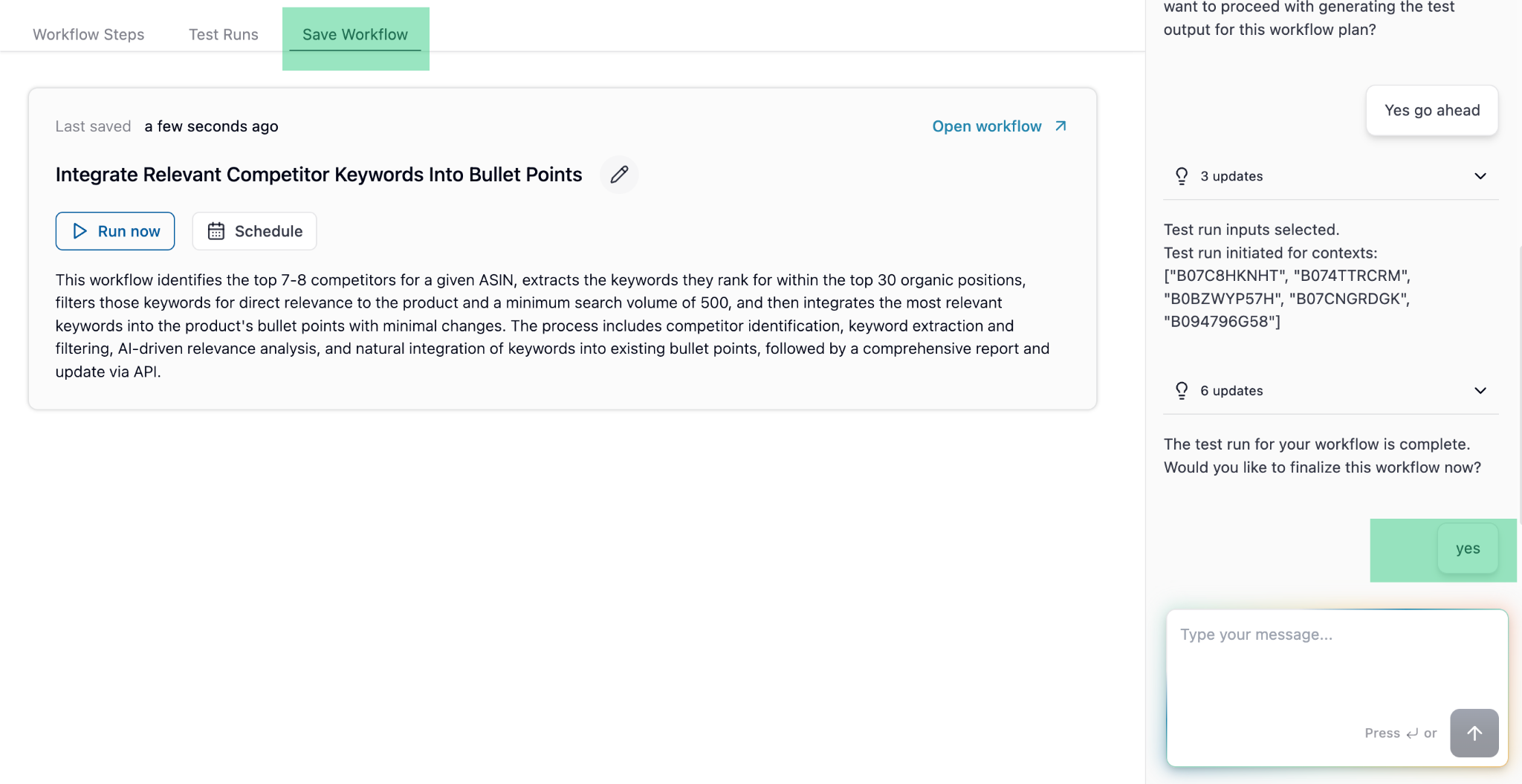 Once you Save it, the Workflow will continue to show in "My Workflows", with a **Revised Workflow Name**.
Have questions? Reach out to us at [support@superfuel.io](mailto:support@superfuel.io)
## Explore
Daily, weekly or monthly for specific ASINs / campaigns
That are widely used and implemented by Superfuel users
See how successful sellers set up and use Superfuel
Once you Save it, the Workflow will continue to show in "My Workflows", with a **Revised Workflow Name**.
Have questions? Reach out to us at [support@superfuel.io](mailto:support@superfuel.io)
## Explore
Daily, weekly or monthly for specific ASINs / campaigns
That are widely used and implemented by Superfuel users
See how successful sellers set up and use Superfuel