> ## Documentation Index
> Fetch the complete documentation index at: https://docs.superfuel.io/llms.txt
> Use this file to discover all available pages before exploring further.
# Scheduling a Workflow
> Learn how to set workflows to run automatically at the right frequency for each task
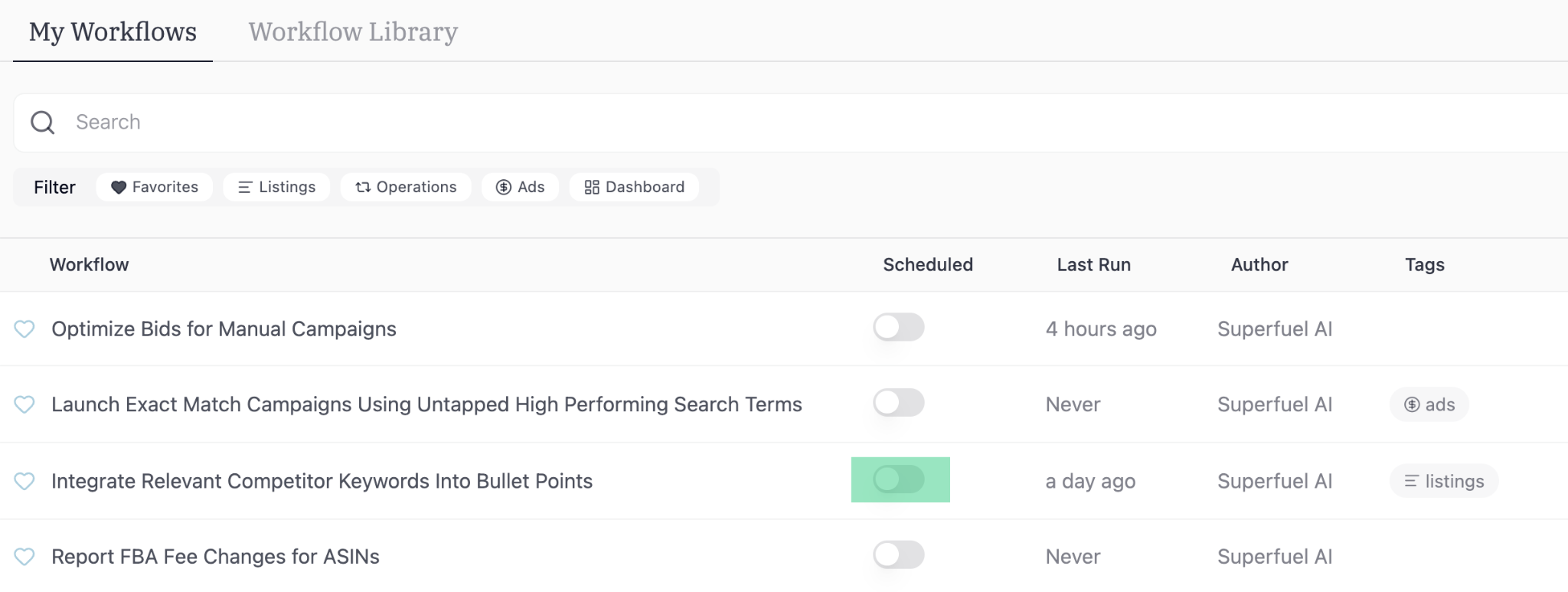
Here is a step by step process to schedule a Workflow:
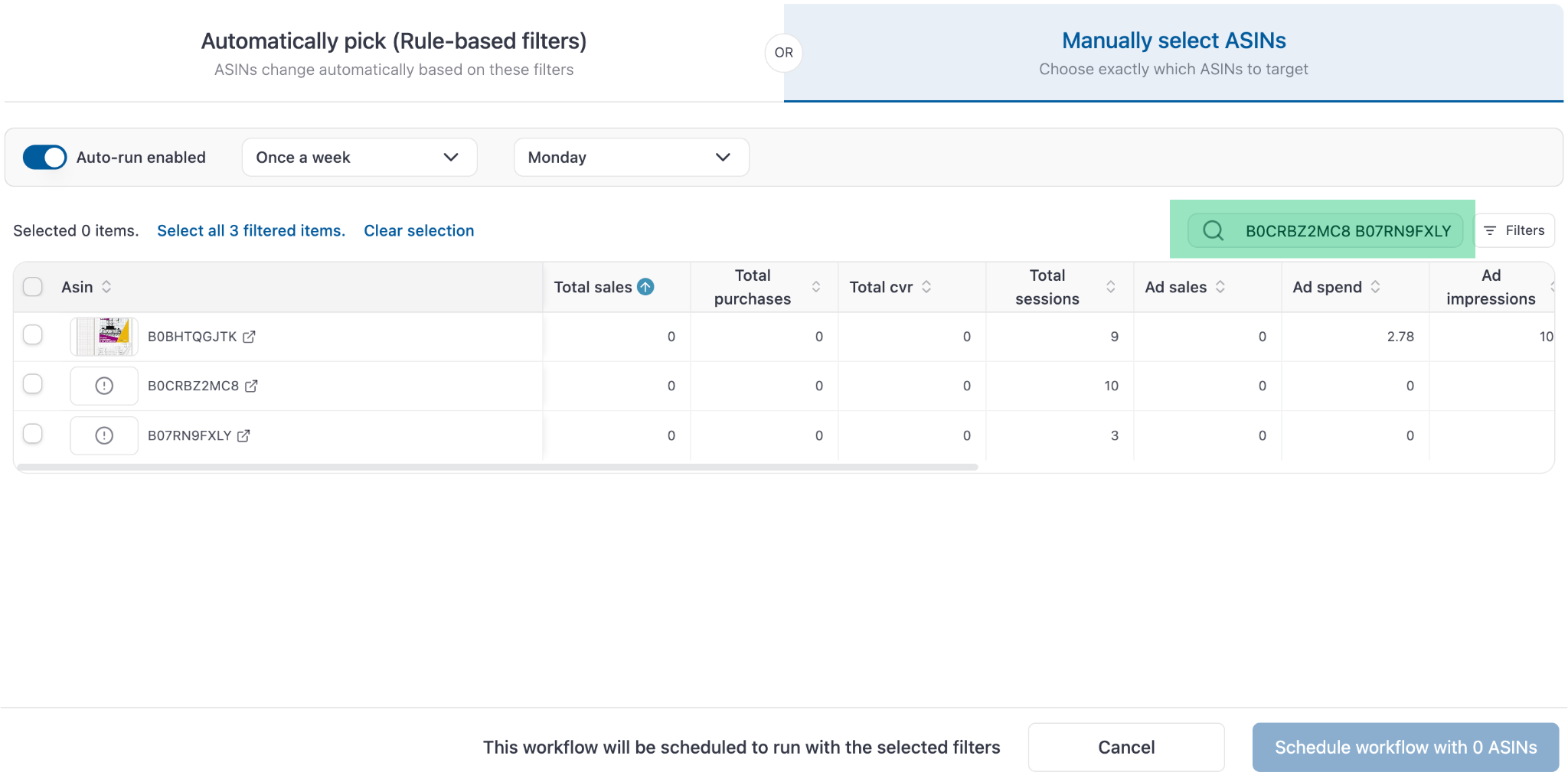
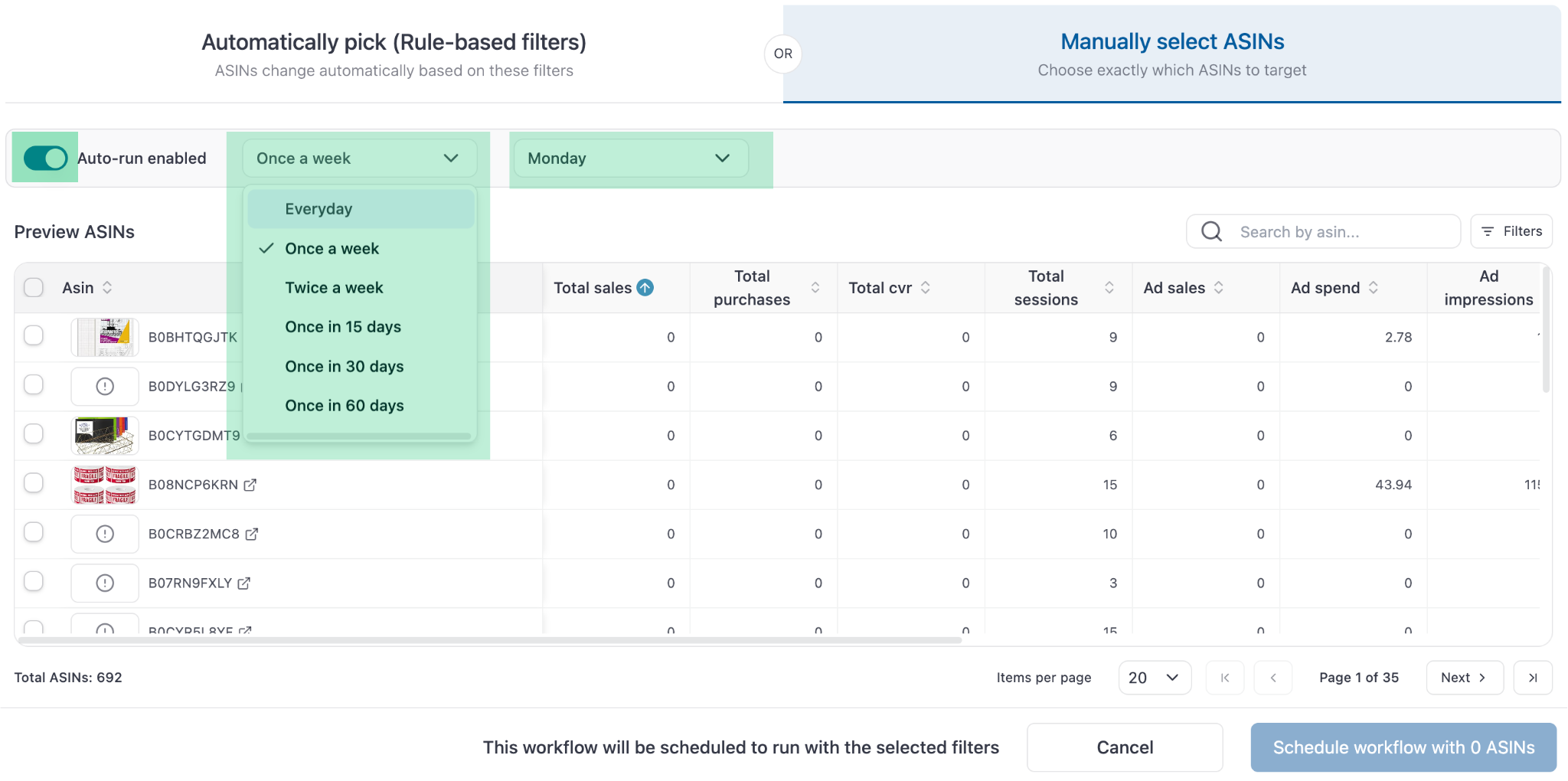 Select ASINs from the list or paste multiple ASINs it in the search bar.
 Once this is set, the workflow will run as scheduled, and the output will be visible in the Output section found on the navbar.
### **Best Practices for Scheduling**
* Run PPC workflows every 7-15 days
* Run listing hygiene workflows every 1 day
* Run listing content workflows every 30 days
* Run inventory workflows every 7 days
Have questions? Reach out to us at [**support@superfuel.io**](mailto:support@superfuel.io)
## Explore
See the step-by-step logic behind each execution
Modify any workflow to match exactly what you do manually
See how successful sellers set up and use Superfuel
Once this is set, the workflow will run as scheduled, and the output will be visible in the Output section found on the navbar.
### **Best Practices for Scheduling**
* Run PPC workflows every 7-15 days
* Run listing hygiene workflows every 1 day
* Run listing content workflows every 30 days
* Run inventory workflows every 7 days
Have questions? Reach out to us at [**support@superfuel.io**](mailto:support@superfuel.io)
## Explore
See the step-by-step logic behind each execution
Modify any workflow to match exactly what you do manually
See how successful sellers set up and use Superfuel