> ## Documentation Index
> Fetch the complete documentation index at: https://docs.superfuel.io/llms.txt
> Use this file to discover all available pages before exploring further.
# Workflow Outputs & Actions
### **Outputs**
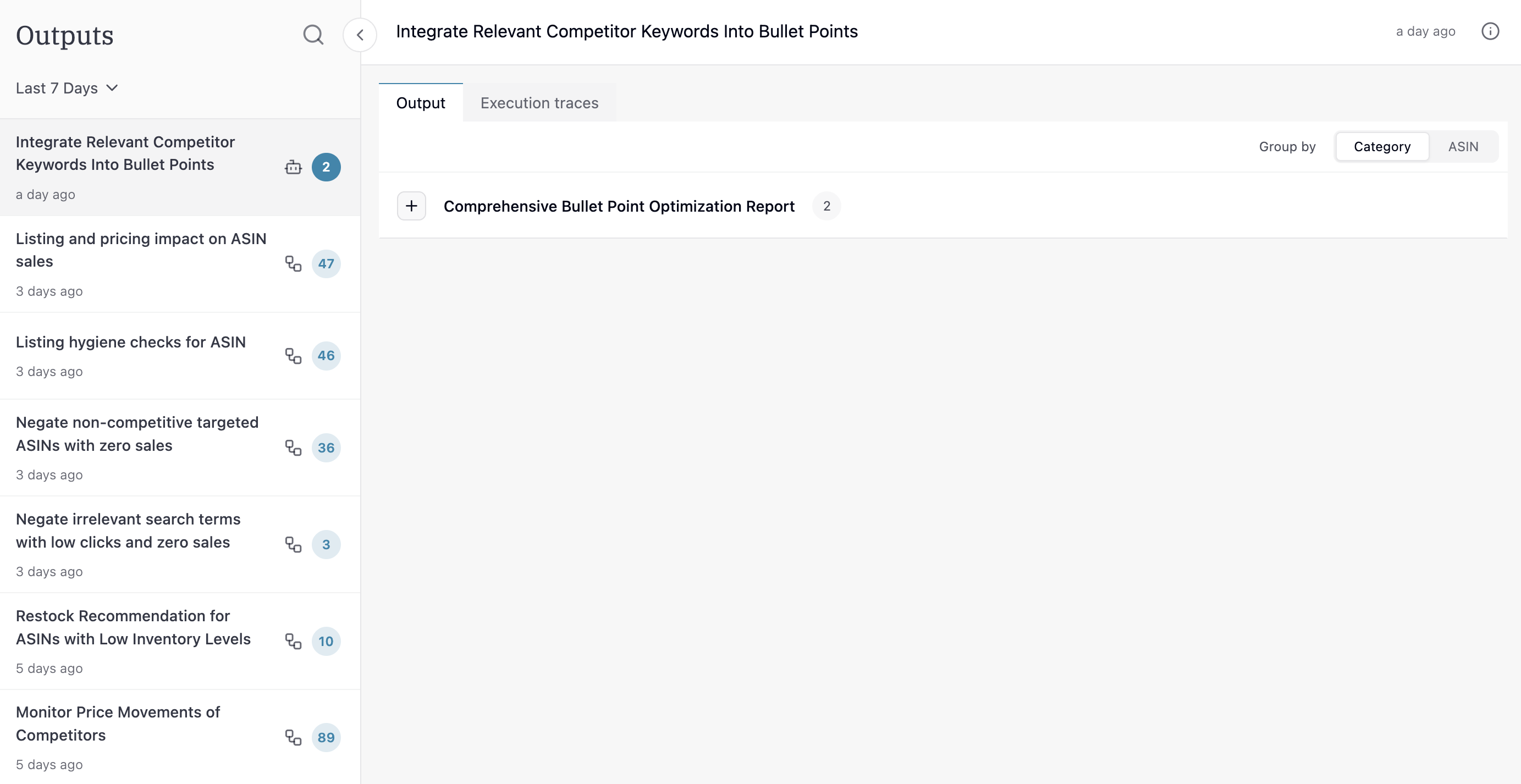
Output of any Saved workflow that is run ad-hoc or on schedule, will show up in the Output section in an inbox format (found in the left navbar).
 ### **Output views**
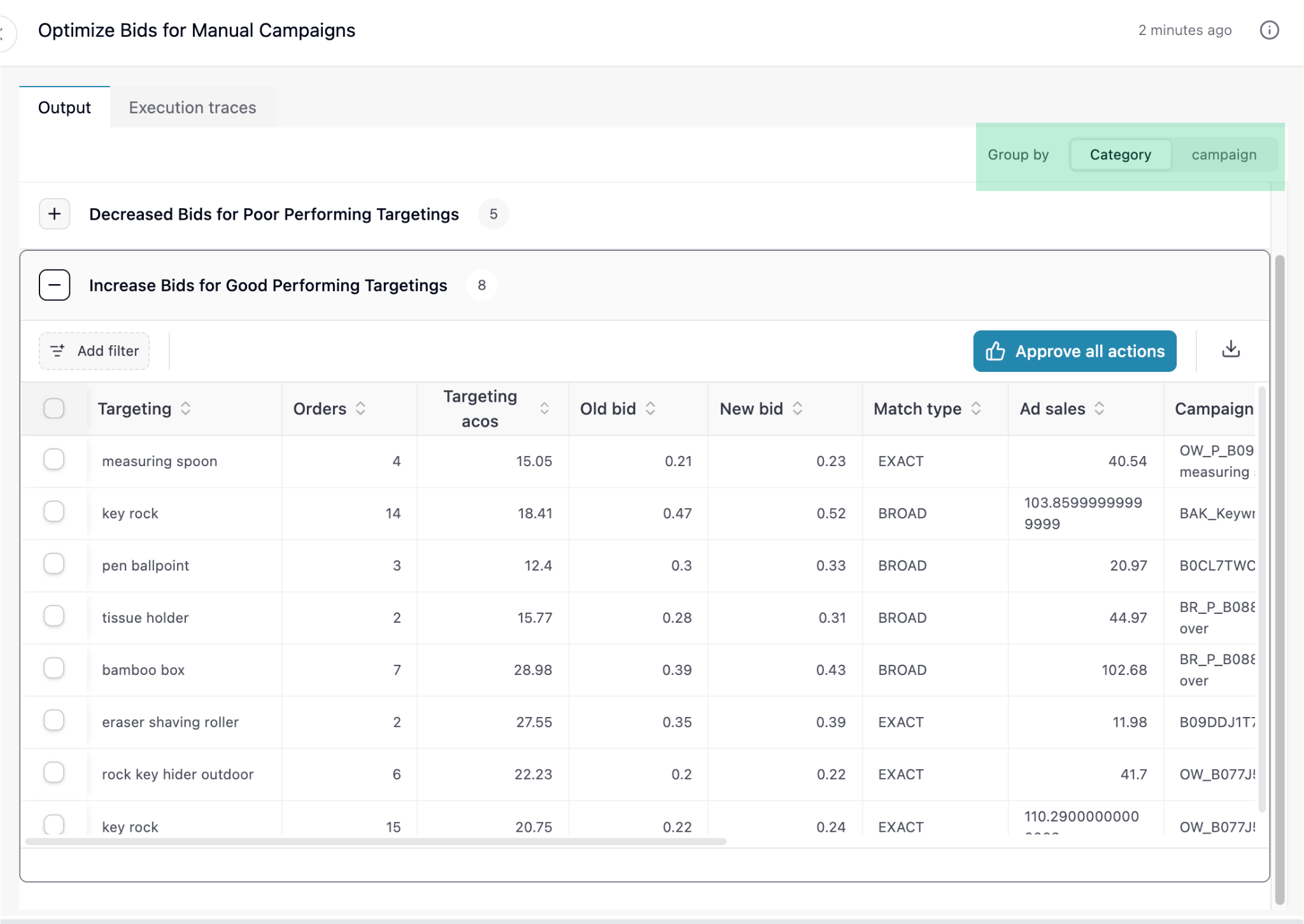
There are 2 views to consume output: Category and ASIN/Campaign view
* **Category View**: Grouped by similar actions (e.g., all bid changes)
### **Output views**
There are 2 views to consume output: Category and ASIN/Campaign view
* **Category View**: Grouped by similar actions (e.g., all bid changes)
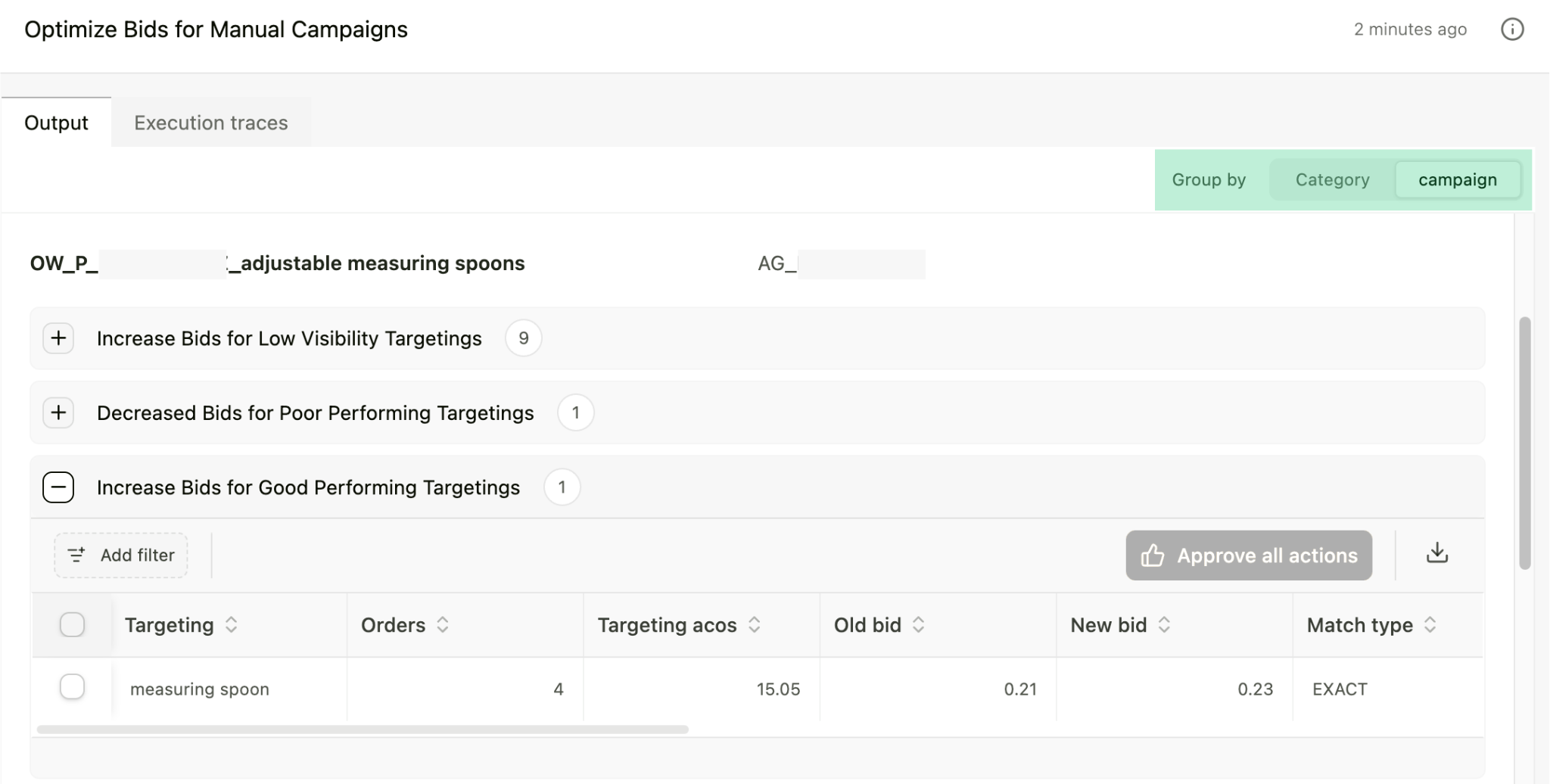
 * **ASIN / Campaign View**: See all insights for specific products
 ### Workflow Actions
Superfuel AI agent can take actions on your behalf. Actions are limited to what's possible via Amazon APIs. Examples include:
* Update listings (titles, bullets, descriptions)
* Manage PPC (launch campaigns, adjust bids, add negatives)
* Change prices
### Workflow Actions
Superfuel AI agent can take actions on your behalf. Actions are limited to what's possible via Amazon APIs. Examples include:
* Update listings (titles, bullets, descriptions)
* Manage PPC (launch campaigns, adjust bids, add negatives)
* Change prices
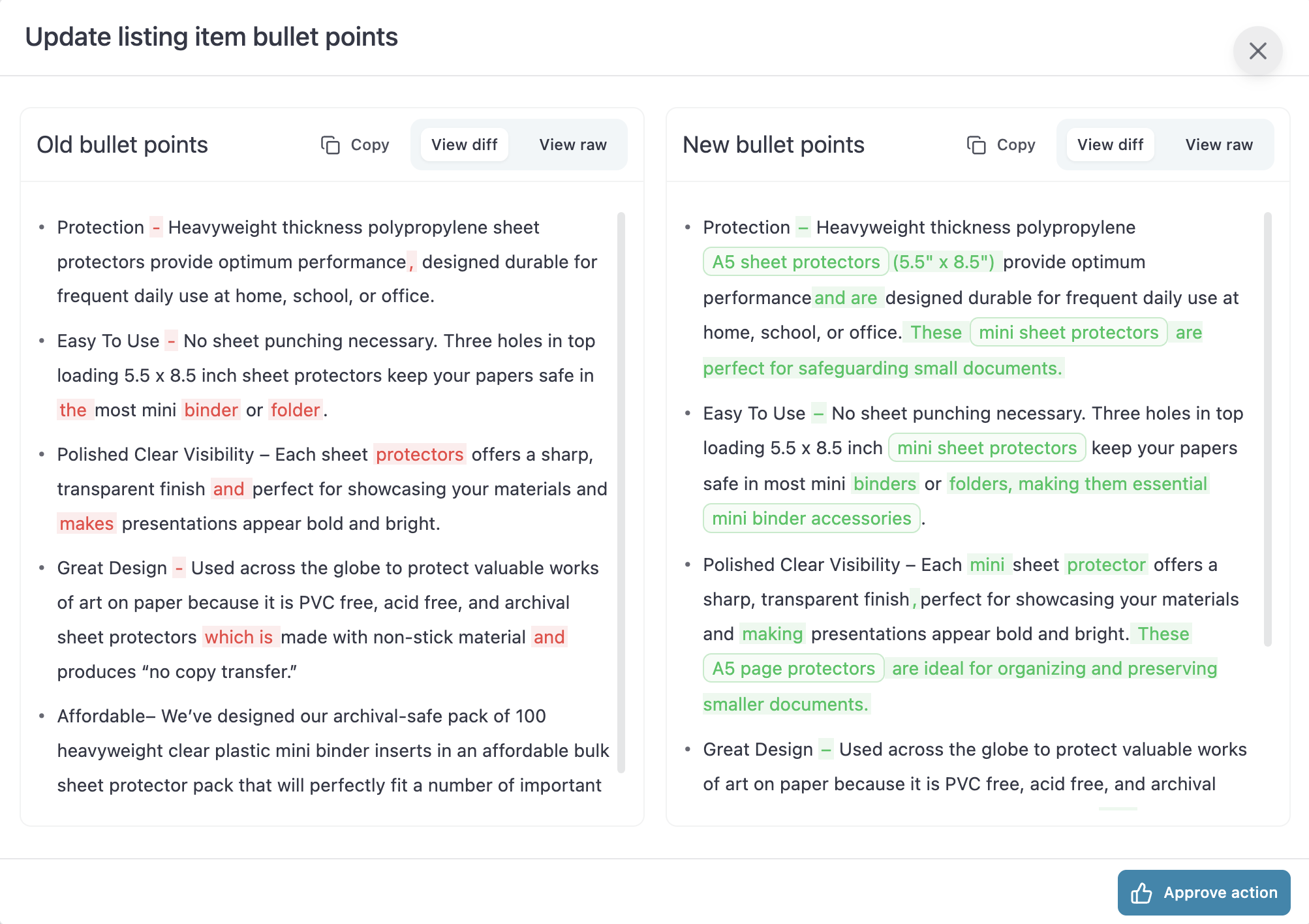 The Agent doesn't take any actions on its own, unless you approve them.
You can approve actions in both Saved Workflows and Agent Conversations. You can **Approve** individual actions that look good to you, or use **Approve All.**
Have questions? Reach out to us at [support@superfuel.io](mailto:support@superfuel.io)
## Explore
Daily, weekly or monthly for specific ASINs / campaigns
Modify any workflow to match exactly what you do manually
See how successful sellers set up and use Superfuel
The Agent doesn't take any actions on its own, unless you approve them.
You can approve actions in both Saved Workflows and Agent Conversations. You can **Approve** individual actions that look good to you, or use **Approve All.**
Have questions? Reach out to us at [support@superfuel.io](mailto:support@superfuel.io)
## Explore
Daily, weekly or monthly for specific ASINs / campaigns
Modify any workflow to match exactly what you do manually
See how successful sellers set up and use Superfuel